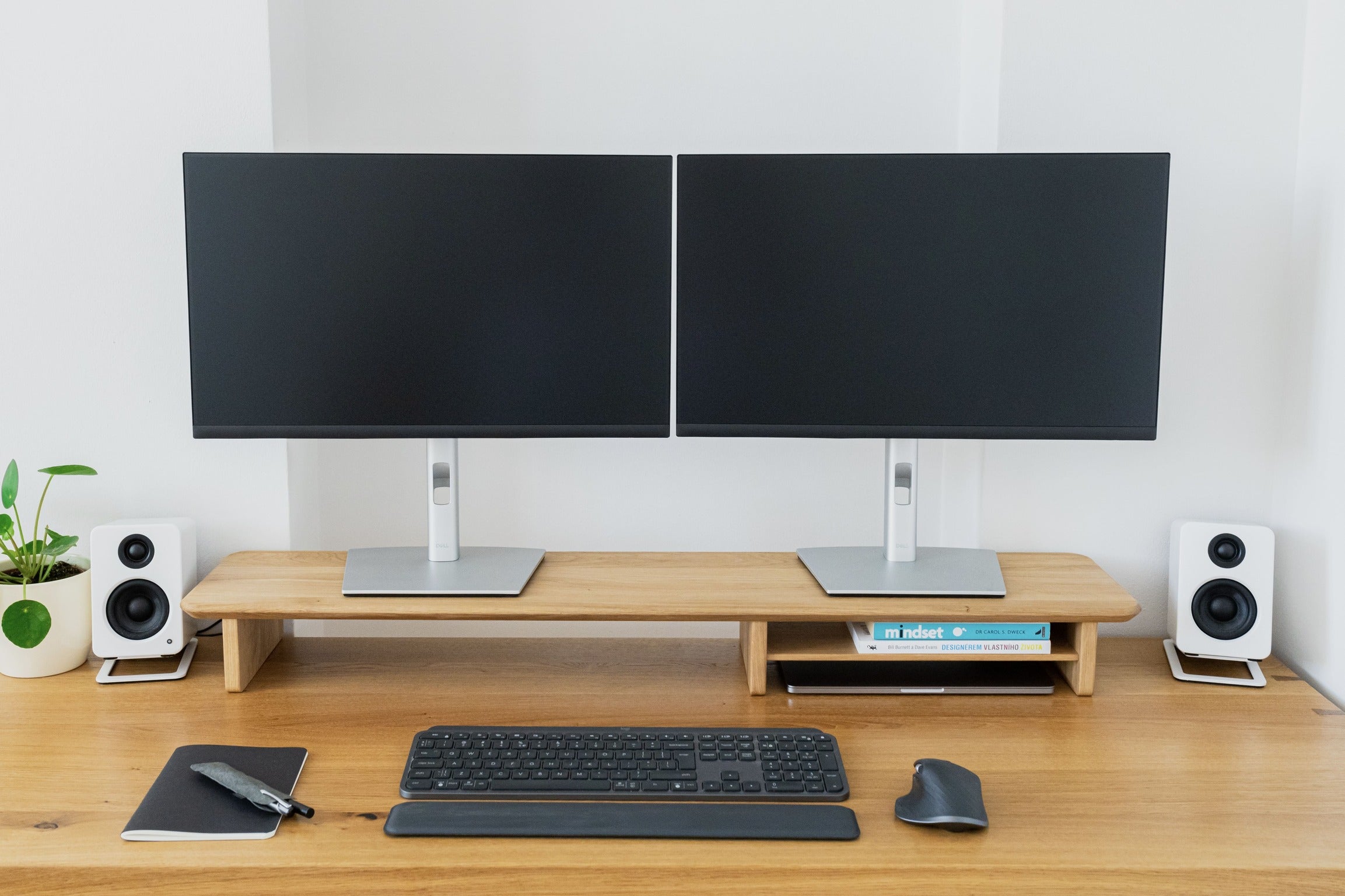
Ergonomics is not about forcing everyone into one perfect posture. It is about arranging the workstation so that you can work without repeatedly bending, reaching, twisting or straining to see the screen.
Official OSHA guidance recommends placing the monitor directly in front of you, with the top of the screen at or slightly below eye level. The centre of the screen will normally sit below the horizontal line of sight. OSHA also recommends a viewing distance of at least about 20 inches, or roughly an arm's length for many users.
1. Set your chair before you set your monitor
Begin with the body. Sit so your feet are supported, your shoulders can relax and your head can remain balanced rather than projecting forward. Your keyboard and mouse should be close enough that you do not need to reach for them repeatedly.
Only then look at the display. If the screen is too low, raising it can help. If it is already high, adding a stand may make the setup worse. The correct height depends on your desk, chair, monitor size, body proportions and whether you wear bifocal or progressive lenses.
2. Aim for a comfortable viewing height, not simply “eye level”
The common phrase “put the monitor at eye level” is useful shorthand but incomplete. OSHA's guidance is more specific: the top of the screen should generally be at or a little below eye level, allowing your gaze to fall slightly downward toward the centre of the display.
That matters because a screen placed too high can encourage you to tip the head back, while a screen placed too low can encourage you to collapse forward. A monitor riser should help you find a neutral head position, not chase a visual rule.
3. Keep enough distance
Very close screens can encourage unnecessary eye effort and forward head posture. Very distant screens can make you lean forward or increase text size beyond what feels natural. OSHA suggests at least around 20 inches and notes that the exact distance should let you read comfortably without leaning.
If you use two displays equally, place them next to each other within a comfortable viewing angle. If one is clearly primary, keep that one directly in front of you and position the secondary display beside it.
4. Treat glare as part of ergonomics
Screen position is not only about height. Bright windows or lamps reflected in the display can make you squint, lean or change posture to see clearly. OSHA recommends placing the monitor perpendicular to windows where possible and arranging lighting to reduce strong reflections and contrast.
5. Use a monitor stand for the problems it actually solves
A stand can raise one or two screens, create a clear storage zone underneath, and make it easier to keep the main working surface free for the keyboard, mouse and notebook. It cannot compensate for a chair that is too high, a desk that is too shallow, a keyboard placed too far away or hours of sitting without changing position.
Good ergonomics is a system. Screen height is one component. Chair support, input-device position, lighting, movement and breaks matter too.
What the Grindwood stand was designed around
Our 108 cm width is intended to accommodate one large display or a dual-monitor setup without taking over the desk. The 23 cm depth leaves working space in front, while the 11 cm height creates useful clearance underneath. Whether those dimensions put your particular monitor at the right height is something you should evaluate against your own seated position.
That distinction matters to us. A well-designed object should make a better setup easier, not pretend that one product can solve ergonomics for everyone.